
Lana for Premiere Pro
Sound design inside your edit
Lana lives inside Premiere Pro. Select your clips, confirm credits, get real licensed sounds placed automatically, without leaving your edit.
Adobe Premiere Pro plugin · Mac & Windows · Premiere Pro 25.6+
From clip to sounds in three steps
Choose any clip in Premiere. Lana reads the selection automatically.
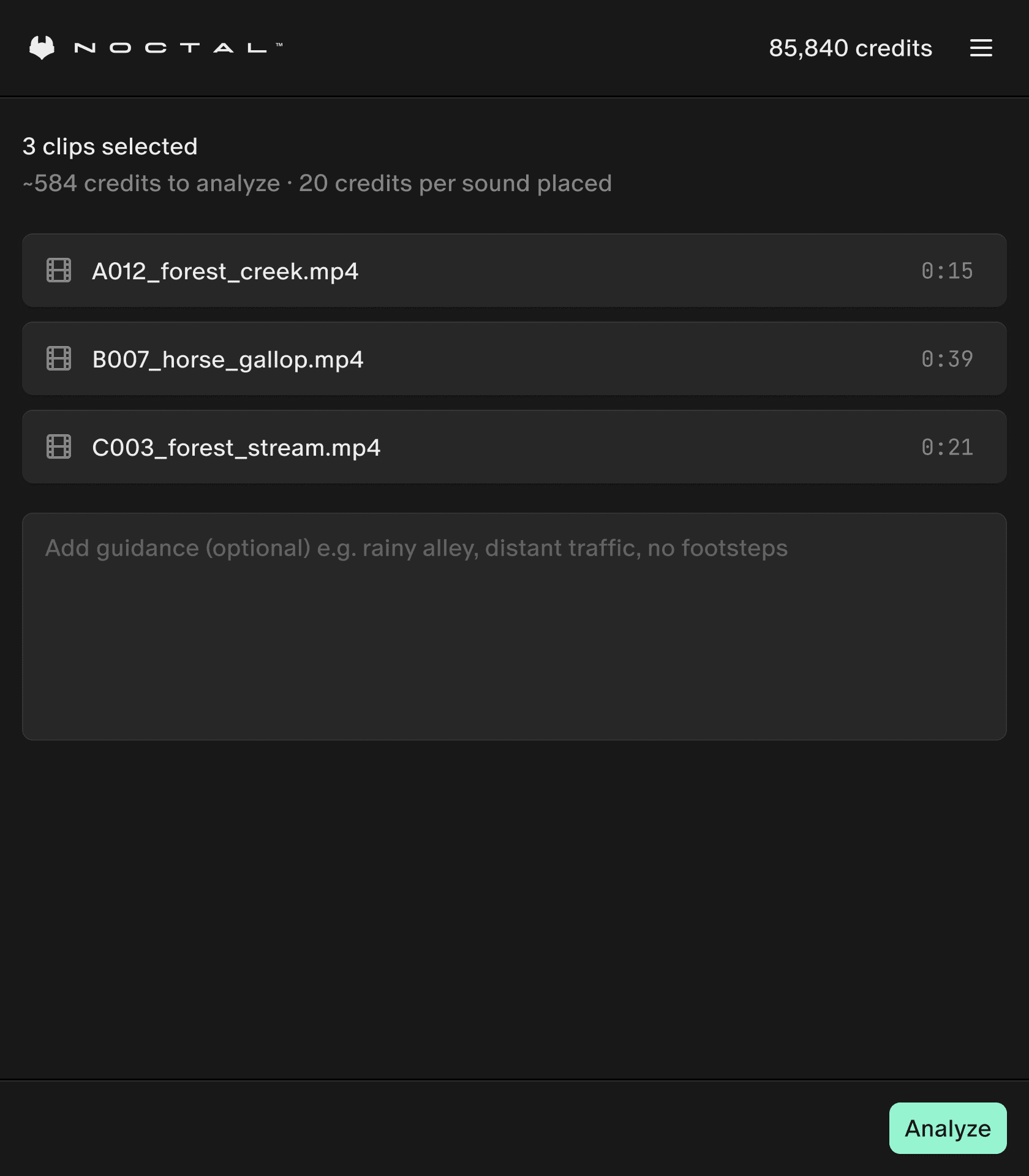
Credit cost, in plain numbers
See the cost upfront. Credits are only charged after confirmation.
See your balance at app.noctal.xyz ↗
- 30 creditsper second of clip analysis
- 20 creditsper placed sound
- Freeto place sounds you already own again
Installation guide
Install in three simple steps. Premiere Pro 25.6+ required
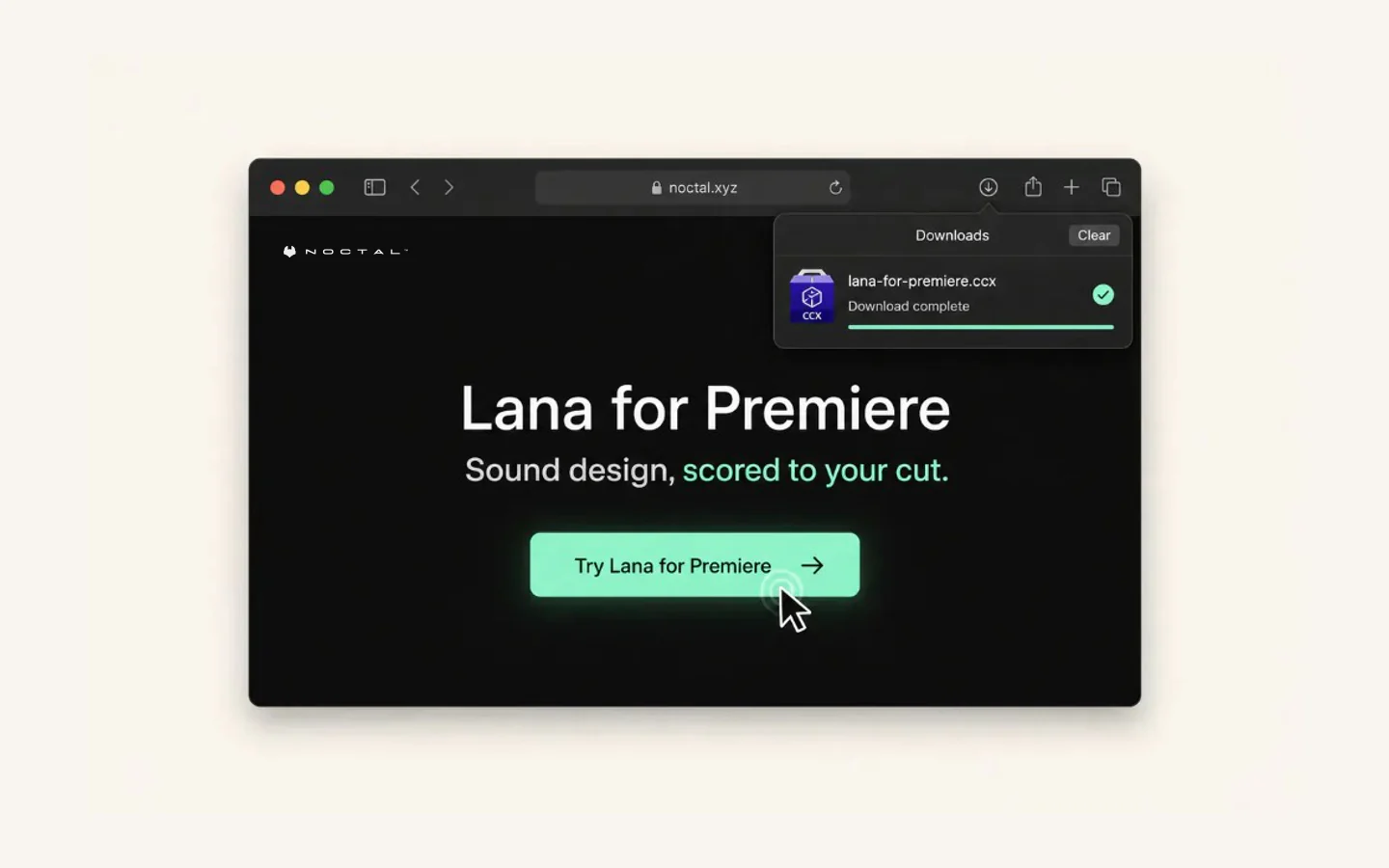
Download
Click
Try Lana for Premiereabove to grab the.ccxinstaller, under 5 MB.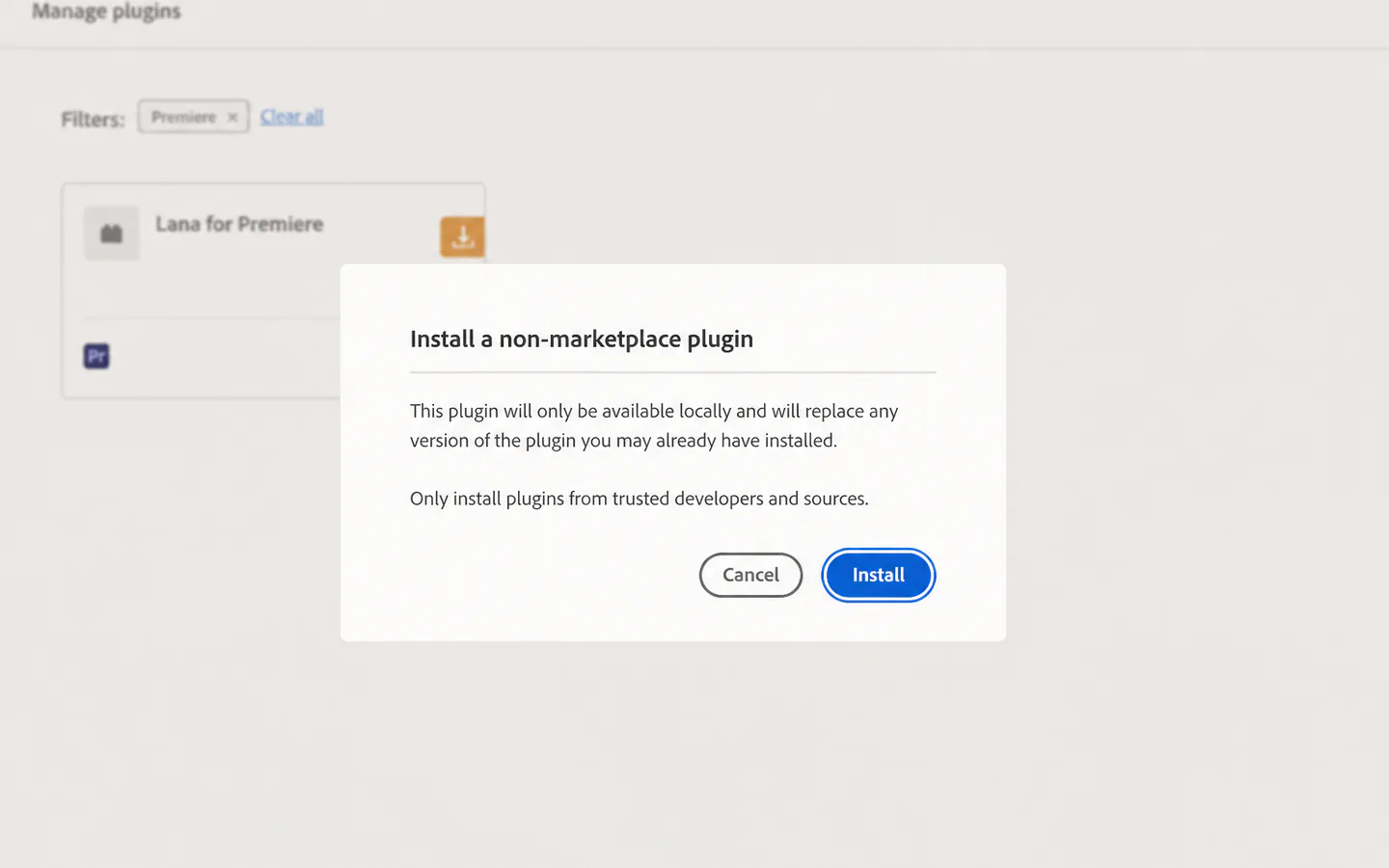
Install
Double-click the
.ccxfile, then confirm Adobe's non-marketplace plugin panel.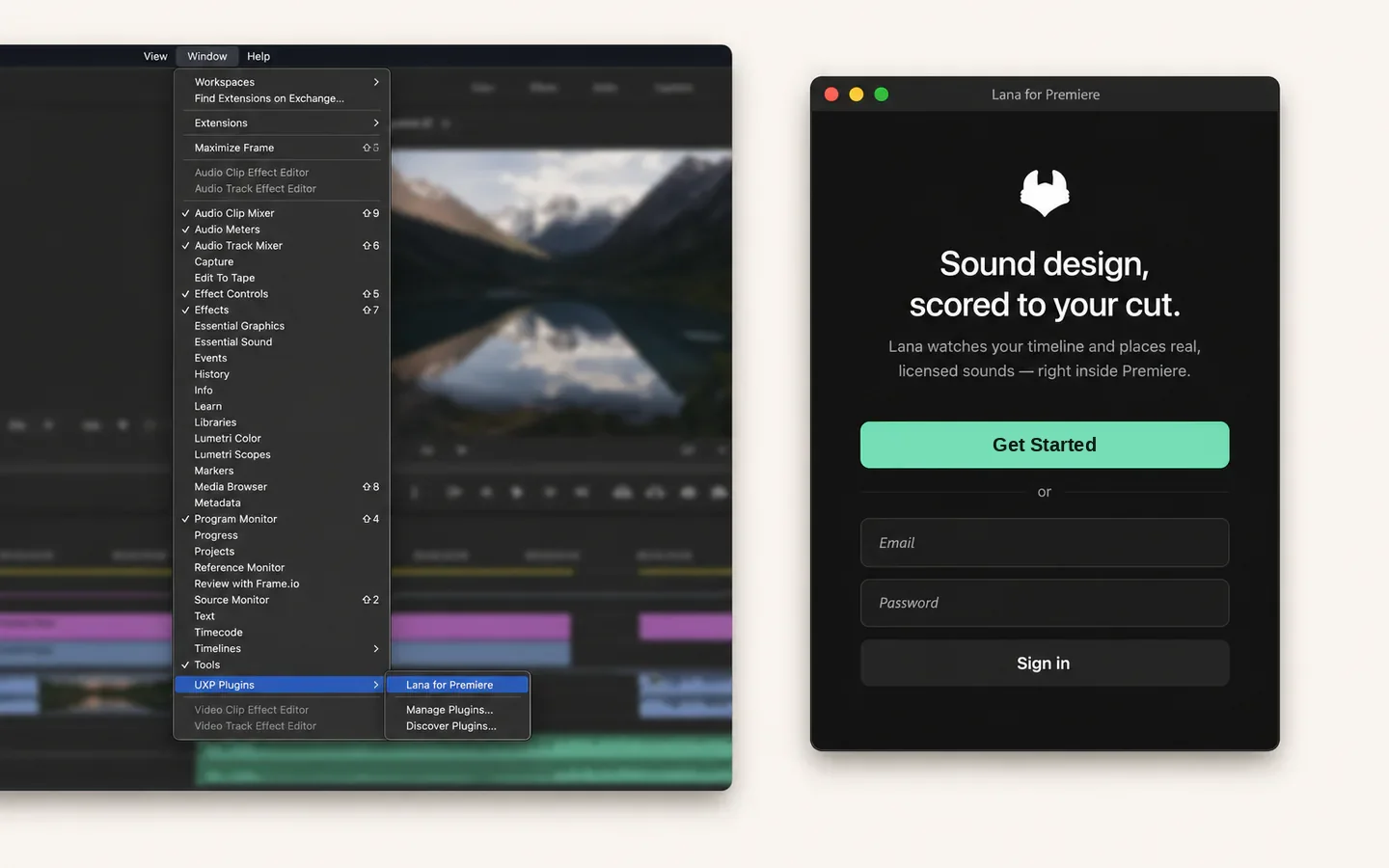
Launch
Open Premiere Pro, go to
Window→UXP Plugins→Lana for Premiere, then sign in with Google or email.
Instant sound design for your timeline
Analyze the cut. Place the sounds. Keep editing.

Frequently asked questions
Does Lana modify my existing audio?
No. Lana places sounds on brand-new audio tracks below your existing ones. Your original audio is never touched, muted, or replaced. Every track stays editable and you can solo, mute, or delete Lana's tracks at any time.
Are the sounds AI-generated?
No. Every sound is a real, licensed recording from our 200,000+ library of professional foley, SFX, and ambience. Lana decides where they go; the audio itself is human-recorded.
What version of Premiere Pro do I need?
Premiere Pro 25.6 or later, on either Mac or Windows. The plugin uses Adobe's UXP framework, which is bundled with recent Premiere versions. No separate runtime to install.
How does the credit system work?
Analysis costs 30 credits × the length of your clip in seconds. Each placed sound is 20 credits. If you re-run the same clip and Lana picks a sound you already own, it re-places for free. The exact cost is always shown before you hit Score. Nothing is charged until you confirm.
Do I keep the sounds Lana places?
Yes. The moment a sound lands on your timeline, it's yours under your Noctal license. Re-place it as many times as you want, in this project or any other, without re-paying.
How does the trial work?
Lana's trial includes credits so you can score a short clip end-to-end before subscribing. Once trial credits are used, pick a plan or top up à la carte. Plans and credit packs are listed on the Noctal pricing page.
Why does install fail with "Couldn't install plugin, Error code -2"?
That's an Adobe Creative Cloud permissions error, not a Lana issue. On macOS Sonoma or later, give Creative Cloud full disk access:
- Open System Settings → Privacy & Security → Full Disk Access.
- Click + and add the Creative Cloud desktop app.
- Click + again and add Adobe Desktop Service from
/Library/Application Support/Adobe/Adobe Desktop Common/ADS/. - Quit and relaunch Creative Cloud, then double-click the
.ccxfile again. - If it still fails, move the
.ccxto the same drive as Premiere Pro (Downloads on Mac,C:root on Windows). On Windows, the Creative Cloud Uninstaller's Repair option is a last resort.
Reference: Adobe's external plugin install troubleshooting ↗.